Saturday, April 30, 2011

how to kill zombie (Bots) ?

What is zombie?
A zombie computer (often shortened as zombie) is a computer connected to the Internet that has been compromised by a cracker, computer virus or trojan horse and can be used to perform malicious tasks of one sort or another under remote direction.The spammer controls and uses your pc without you knowing it. Spammers may be using your computer to send unsolicited — and possibly offensive — email offers for products and services. Spammers are using home computers to send bulk emails by the millions. The Zombie is planted on hundreds of computers belonging to unsuspecting third parties and then used to spread E-mail spam and because of this it becomes very difficult to Trace the zombie’s creator. Zombies can also be used to launch mass attack on any company or website

KILLING ZOMBIE

Killing Zombies
Recall that if a child dies before its parent calls wait, the child becomes a zombie. In some applications, a web server for example, the parent forks off lots of children but doesn't care whether the child is dead or alive. For example, a web server might fork a new process to handle each connection, and each child dies when the client breaks the connection. Such an application is at risk of producing many zombies, and zombies can clog up the process table.
When a child dies, it sends a SIGCHLD signal to its parent. The parent process can prevent zombies from being created by creating a signal handler routine for SIGCHLD which calls wait whenever it receives a SIGCHLD signal. There is no danger that this will cause the parent to block because it would only call wait when it knows that a child has just died.
There are several versions of wait on a Unix system. The system call waitpid has this prototype

#include <sys/types.h>
#include <sys/wait.h>

pid_t waitpid(pid_t pid, int *stat_loc, int options)
This will function like wait in that it waits for a child to terminate, but this function allows the process to wait for a particular child by setting its first argument to the pid that we want to wait for. However, that is not our interest here. If the first argument is set to zero, it will wait for any child to terminate, just like wait. However, the third argument can be set to WNOHANG. This will cause the function to return immediately if there are no dead children. It is customary to use this function rather than wait in the signal handler. Here is some sample code

#include <sys/types.h>
#include <stdio.h>
#include <signal.h>
#include <wait.h>
#include <unistd.h>

void *zombiekiller(int n)
{
  int status;
  waitpid(0,&status,WNOHANG);
  signal(SIGCHLD,zombiekiller);  
  return (void *) NULL;
}
int main()
{
  signal(SIGCHLD, zombiekiller);
  ....
}

Pipes

Note: this topic does not real fit with the other lessons of the week, but you will need it for the exercise.
A second form of redirection is a pipe. A pipe is a connection between two processes in which one process writes data to the pipe and the other reads from the pipe. Thus, it allows one process to pass data to another process.
The Unix system call to create a pipe is
int pipe(int fd[2])
This function takes an array of two ints (file descriptors) as an argument. It creates a pipe with fd[0] at one end and fd[1] at the other. Reading from the pipe and writing to the pipe are done with the read and write calls that you have seen and used before. Although both ends are opened for both reading and writing, by convention a process writes to fd[1] and reads from fd[0]. Pipes only make sense if the process calls fork after creating the pipe. Each process should close the end of the pipe that it is not using. Here is a simple example in which a child sends a message to its parent through a pipe.

#include <unistd.h>
#include <stdio.h>

int main()
{
  pid_t pid;
  int retval;
  int fd[2];
  int n;

  retval = pipe(fd);
  if (retval < 0) {
    printf("Pipe failed\n"); /* pipe is unlikely to fail */
    exit(0);
  }

  pid = fork();
  if (pid == 0) { /* child */
    close(fd[0]);
    n = write (fd[1],"Hello from the child",20);
    exit(0);
  }
  else if (pid > 0) { /* parent */
    char buffer[64];
    close(fd[1]);
    n = read(fd[0],buffer,64);
    buffer[n]='\0';
    printf("I got your message: %s\n",buffer);
  }
  return 0;
}
There is no need for the parent to wait for the child to finish because reading from a pipe will block until there is something in the pipe to read. If the parent runs first, it will try to execute the read statement, and will immediately block because there is nothing in the pipe. After the child writes a message to the pipe, the parent will wake up. Pipes have a fixed size (often 4096 bytes) and if a process tries to write to a pipe which is full, the write will block until a process reads some data from the pipe.
Here is a program which combines dup2 and pipe to redirect the output of the ls process to the input of the more process as would be the case if the user typed
ls | more
at the Unix command line.
#include <stdio.h>
#include <unistd.h>

void error(char *msg)
{
     perror(msg);
     exit(1);
}

int main()
{
    int p[2], retval;
    retval = pipe(p);
    if (retval < 0) error("pipe");
    retval=fork();
    if (retval < 0) error("forking");
    if (retval==0) { /* child */
          dup2(p[1],1); /* redirect stdout to pipe */
          close(p[0]);  /* don't permit this 
                process to read from pipe */
          execl("/bin/ls","ls","-l",NULL);
          error("Exec of ls");
       }
    /* if we get here, we are the parent */ 
     dup2(p[0],0);  /* redirect stdin to pipe */
     close(p[1]);  /* don't permit this 
                  process to write to pipe */
     execl("/bin/more","more",NULL);
     error("Exec of more");
     return 0;
}

Livelock
There is a variant of deadlock called livelock. This is a situation in which two or more processes continuously change their state in response to changes in the other process(es) without doing any useful work. This is similar to deadlock in that no progress is made but differs in that neither process is blocked or waiting for anything.
A human example of livelock would be two people who meet face-to-face in a corridor and each moves aside to let the other pass, but they end up swaying from side to side without making any progress because they always move the same way at the same time.
Addressing deadlock in real systems
Deadlock is a terrific theoretical problem for graduate students, but none of the solutions discussed above can be implemented in a real world, general purpose operating system. It would be difficult to require a user program to make requests for resources in a certain way or in a certain order. As a result, most operating systems use the ostrich algorithm.
Some specialized systems have deadlock avoidance/prevention mechanisms. For example, many database operations involve locking several records, and this can result in deadlock, so database software often has a deadlock prevention algorithm.
The Unix file locking system lockf has a deadlock detection mechanism built into it. Whenever a process attempts to lock a file or a record of a file, the operating system checks to see if that process has locked other files or records, and if it has, it uses a graph algorithm similar to the one discussed above to see if granting that request will cause deadlock, and if it does, the request for the lock will fail, and the lockf system call will return and errno will be set to EDEADLK.

Signals


Recall that an interrupt is an asynchronous event which can happen at any time. When an interrupt occurs, the processor stops executing instructions in the current running process and executes an interrupt handler function in the kernel. Unix systems have a software interrupt mechanism called signals.
An example of a signal that you are probably familiar with is an interrupt signal which is sent by the user to a running process when the user enters Control-C. The default action of this signal is to kill the process.
A signal is represented as an integer. These integers are assigned symbolic names in the header file signal.h. The interrupt signal has the value 2 but you should use the symbolic name SIGINT.
Every signal has a default action. The default action for SIGINT is to abort the program. A program can modify the default action for most signals or they can choose to ignore a signal.
The system call which does this has the following function prototype.
void (*signal (int sig, void (*disp)(int)))(int);
This says that the function signal takes two arguments, the first, sig is a signal, and the second is function name. This function takes one argument, an integer and returns a pointer. The call to signal changes the signal handling function for its first argument from the default to the function of its second argument.
Here is a simple example.

#include <signal.h> #include <stdio.h> void *SigCatcher(int n) { printf("Ha Ha, you can't kill me\n"); signal(SIGINT,(void (*))SigCatcher); return (void *)NULL; } int main() { int i; signal(SIGINT,(void (*))SigCatcher); for (i=0;i<10;i++) { sleep(1); printf("Just woke up, i is %d\n",i); } return 0; } The main function calls signal to change the default action to the function SigCatcher then enters a loop where it alternately sleeps for one second, then displays a message on stdout. Normally, the user could kill this program by hitting Control-C while it was running, but because the default signal action has changed, when the user hits Control-C while this program is running, instead of the program dying, it displays the message
Ha Ha, you can't kill me
Try it. Notice that the signal handler function calls signal. On some Unix systems, once a signal handler has been called, the system resets the handler to the default unless it is reset again.
Here is a list of the predefined signals on Solaris (there are some slight differences from one Unix system to another).
#define SIGHUP 1 /* hangup */ #define SIGINT 2 /* interrupt (rubout) */ #define SIGQUIT 3 /* quit (ASCII FS) */ #define SIGILL 4 /* illegal instruction (not reset when caught) */ #define SIGTRAP 5 /* trace trap (not reset when caught) */ #define SIGIOT 6 /* IOT instruction */ #define SIGABRT 6 /* used by abort, replace SIGIOT in the future */ #define SIGEMT 7 /* EMT instruction */ #define SIGFPE 8 /* floating point exception */ #define SIGKILL 9 /* kill (cannot be caught or ignored) */ #define SIGBUS 10 /* bus error */ #define SIGSEGV 11 /* segmentation violation */ #define SIGSYS 12 /* bad argument to system call */ #define SIGPIPE 13 /* write on a pipe with no one to read it */ #define SIGALRM 14 /* alarm clock */ #define SIGTERM 15 /* software termination signal from kill */ #define SIGUSR1 16 /* user defined signal 1 */ #define SIGUSR2 17 /* user defined signal 2 */ #define SIGCLD 18 /* child status change */ #define SIGCHLD 18 /* child status change alias (POSIX) */ #define SIGPWR 19 /* power-fail restart */ #define SIGWINCH 20 /* window size change */ #define SIGURG 21 /* urgent socket condition */ #define SIGPOLL 22 /* pollable event occured */ #define SIGIO SIGPOLL /* socket I/O possible (SIGPOLL alias) */ #define SIGSTOP 23 /* stop (cannot be caught or ignored) */ #define SIGTSTP 24 /* user stop requested from tty */ #define SIGCONT 25 /* stopped process has been continued */ #define SIGTTIN 26 /* background tty read attempted */ #define SIGTTOU 27 /* background tty write attempted */ #define SIGVTALRM 28 /* virtual timer expired */ #define SIGPROF 29 /* profiling timer expired */ #define SIGXCPU 30 /* exceeded cpu limit */ #define SIGXFSZ 31 /* exceeded file size limit */ #define SIGWAITING 32 /* process's lwps are blocked */ #define SIGLWP 33 /* special signal used by thread library */ #define SIGFREEZE 34 /* special signal used by CPR */ #define SIGTHAW 35 /* special signal used by CPR */ #define SIGCANCEL 36 /* thread cancellation signal used by libthread */ #define SIGLOST 37 /* resource lost (eg, record-lock lost) */ Signal 11, SIGSEGV is the signal that is received when the program detects a segmentation fault (memory exception error). The default action for this is to display the message
Segmentation Fault (core dumped)
dump the core, and terminate the program. You can change the action for this so that it displays a different message, but of course you cannot try to continue to run the program.
Signal 9, SIGKILL, is the kill signal. A program is not allowed to change the signal handler for this signal. Otherwise, it would be possible for a program to change all of its signal handlers so that no one could kill a rogue program. To send a kill signal from the shell to a particular process, enter
kill -9 ProcessNumber

Signal 14 SIGALRM sends an alarm to a process. The default SIGALRM handler is to abort the program, but this can be changed. The system call
unsigned int alarm(unsigned int sec);
sends a SIGALRM signal to the process after sec seconds. If you have changed the signal handler function for this, then you can arrange for an event to happen after a set period of time.
You can choose to ignore any signal (except SIGKILL) by using SIG_IGN as the second argument of signal. You can also reset the signal handler for a particular signal to its default by using SIG_DFL as the second argument to signal.

Fork and Exec

The fork system call in Unix creates a new process. The new process inherits various properties from its parent (Environmental variables, File descriptors, etc - see the manual page for details). After a successful fork call, two copies of the original code will be running. In the original process (the parent) the return value of fork will be the process ID of the child. In the new child process the return value of fork will be 0. Here's a simple example where the child sleeps for 2 seconds while the parent waits for the child process to exit. Note how the return value of fork is used to control which code is run by the parent and which by the child.
#include <unistd.h>
#include <sys/wait.h>
#include <iostream>
using namespace std;
int main(){
  pid_t pid;
  int status, died;
     switch(pid=fork()){
     case -1: cout << "can't fork\n";
              exit(-1);
     case 0 : sleep(2); // this is the code the child runs
              exit(3); 
     default: died= wait(&status); // this is the code the parent runs 
     }
}
[fork]
In the following annotated example the parent process queries the child process in more detail, determining whether the child exited normally or not. To make things interesting the parent kills the child process if the latter's PID is odd, so if you run the program a few times expect behaviour to vary.
#include <unistd.h>
#include <sys/wait.h>
#include <signal.h>
#include <iostream>
using namespace std;

int main(){
   pid_t pid;
   int status, died;
   switch(pid=fork()){
   case -1: cout << "can't fork\n";
            exit(-1);
   case 0 : cout << "   I'm the child of PID " << getppid() << ".\n";
            cout << "   My PID is " <<  getpid() << endl;
     sleep(2);
            exit(3);
   default: cout << "I'm the parent.\n";
            cout << "My PID is " <<  getpid() << endl;
            // kill the child in 50% of runs
            if (pid & 1)
               kill(pid,SIGKILL);
            died= wait(&status);
            if(WIFEXITED(status))
               cout << "The child, pid=" << pid << ", has returned " 
                    << WEXITSTATUS(status) << endl;
            else
         cout << "The child process was sent a " 
                    << WTERMSIG(status) << " signal\n";
  }
}
In the examples above, the new process is running the same program as the parent (though it's running different parts of it). Often however, you want the new process to run a new program. When, for example, you type "date" on the unix command line, the command line interpreter (the so-called "shell") forks so that momentarily 2 shells are running, then the code in the child process is replaced by the code of the "date" program by using one of the family of exec system calls. Here's a simple example of how it's done.
#include <unistd.h>
#include <sys/wait.h>
#include <iostream>
using namespace std;

int main(){
   pid_t pid;
   int status, died;
   switch(pid=fork()){
   case -1: cout << "can't fork\n";
            exit(-1);
   case 0 : execl("/usr/bin/date","date",0); // this is the code the child runs 
   default: died= wait(&status); // this is the code the parent runs
   }
}
The child process can communicate some information to its parent via the argument to exit, but this is rather restrictive. Richer communication is possible if one takes advantage of the fact that the child and parent share file descriptors. The popen() command is the tidiest way to do this. The following code uses a more low-level method. The pipe() command creates a pipe, returning two file descriptors; the 1st opened for reading from the pipe and the 2nd opened for writing to it. Both the parent and child process initially have access to both ends of the pipe. The code below closes the ends it doesn't need.
#include <unistd.h>
#include <sys/wait.h>
#include <iostream>
#include <sys/types.h>
using namespace std;
int main(){
 char str[1024], *cp;
 int pipefd[2];
 pid_t pid;
 int status, died;

  pipe (pipefd);
  switch(pid=fork()){
   case -1: cout << "can't fork\n";
            exit(-1);
   
   case 0 : // this is the code the child runs 
            close(1);      // close stdout
            // pipefd[1] is for writing to the pipe. We want the output
            // that used to go to the standard output (file descriptor 1)
            // to be written to the pipe. The following command does this,
            // creating a new file descripter 1 (the lowest available) 
            // that writes where pipefd[1] goes.
            dup (pipefd[1]); // points pipefd at file descriptor
            // the child isn't going to read from the pipe, so
            // pipefd[0] can be closed
            close (pipefd[0]);
            execl ("/usr/bin/date","date",0);
   default: // this is the code the parent runs 

            close(0); // close stdin
            // Set file descriptor 0 (stdin) to read from the pipe
            dup (pipefd[0]);
            // the parent isn't going to write to the pipe
            close (pipefd[1]);
            // Now read from the pipe
            cin.getline(str, 1023);
            cout << "The date is " << str << endl;
            died= wait(&status);
   }
}
In all these examples the parent process waits for the child to exit. If the parent doesn't wait, but exits before the child process does, then the child is adopted by another process (usually the one with PID 1). After the child exits (but before it's waited for) it becomes a "zombie". If it's never waited for (because the parent process is hung, for example) it remains a zombie. In more recent Unix versions, the kernel releases these processes, but sometimes they can only be removed from the list of processes by rebooting the machine. Though in small numbers they're harmless enough, avoiding them is a very good idea. Particularly if a process has many children, it's worth using waitpid() rather than wait(), so that the code waits for the right process. Some versions of Unix have wait2(), wait3() and wait4() variants which may be useful.

Double fork

One way to create a new process that is more isolated from the parent is to do the following [double fork]
The original process doesn't have to wait around for the new process to die, and doesn't need to worry when it does.

Deadlock


Recall that one definition of an operating system is a resource allocator. There are many resources that can be allocated to only one process at a time, and we have seen several operating system features that allow this, such as mutexes, semaphores or file locks.
Sometimes a process has to reserve more than one resource. For example, a process which copies files from one tape to another generally requires two tape drives. A process which deals with databases may need to lock multiple records in a database.
In general, resources allocated to a process are not preemptable; this means that once a resource has been allocated to a process, there is no simple mechanism by which the system can take the resource back from the process unless the process voluntarily gives it up or the system administrator kills the process. This can lead to a situation called deadlock. A set of processes or threads is deadlocked when each process or thread is waiting for a resource to be freed which is controlled by another process. Here is an example of a situation where deadlock can occur.
Mutex M1, M2;

/* Thread 1 */
while (1) {
   NonCriticalSection()
   Mutex_lock(&M1);
   Mutex_lock(&M2);
   CriticalSection();
   Mutex_unlock(&M2);
   Mutex_unlock(&M1);
}

/* Thread 2 */
while (1) {
   NonCriticalSection()
   Mutex_lock(&M2);
   Mutex_lock(&M1);
   CriticalSection();
   Mutex_unlock(&M1);
   Mutex_unlock(&M2);
}
Suppose thread 1 is running and locks M1, but before it can lock M2, it is interrupted. Thread 2 starts running; it locks M2, when it tries to obtain and lock M1, it is blocked because M1 is already locked (by thread 1). Eventually thread 1 starts running again, and it tries to obtain and lock M2, but it is blocked because M2 is already locked by thread 2. Both threads are blocked; each is waiting for an event which will never occur. Traffic gridlock is an everyday example of a deadlock situation.

In order for deadlock to occur, four conditions must be true.
  • Mutual exclusion - Each resource is either currently allocated to exactly one process or it is available. (Two processes cannot simultaneously control the same resource or be in their critical section).
  • Hold and Wait - processes currently holding resources can request new resources
  • No preemption - Once a process holds a resource, it cannot be taken away by another process or the kernel.
  • Circular wait - Each process is waiting to obtain a resource which is held by another process.
The dining philosophers problem discussed in an earlier section is a classic example of deadlock. Each philosopher picks up his or her left fork and waits for the right fork to become available, but it never does.
Deadlock can be modeled with a directed graph. In a deadlock graph, vertices represent either processes (circles) or resources (squares). A process which has acquired a resource is show with an arrow (edge) from the resource to the process. A process which has requested a resource which has not yet been assigned to it is modeled with an arrow from the process to the resource. If these create a cycle, there is deadlock.
The deadlock situation in the above code can be modeled like this.

This graph shows an extremely simple deadlock situation, but it is also possible for a more complex situation to create deadlock. Here is an example of deadlock with four processes and four resources.

There are a number of ways that deadlock can occur in an operating situation. We have seen some examples, here are two more.
  • Two processes need to lock two files, the first process locks one file the second process locks the other, and each waits for the other to free up the locked file.
  • Two processes want to write a file to a print spool area at the same time and both start writing. However, the print spool area is of fixed size, and it fills up before either process finishes writing its file, so both wait for more space to become available.


Thursday, March 17, 2011

How to prevent your site from getting hacked.

 How to repair a damaged site

[This article is frequently updated and expanded. It is gradually being broken apart into separate articles because the Google language translator doesn't translate all the text of large pages.]
[Contrary to one of the tags applied to this article at StumbleUpon, this site has never been hacked in more than 1,000,000 attempts. Everything reported here is based on experience gained from helping others with compromised sites and from continual study about improved methods of protection.]


Step-by-step site repair

  • Hopefullly, this detailed step-by-step procedure will help focus on the tasks and avoid panic.
  • The concepts apply to any server even though it is Linux, Apache, and cPanel methods that are described in detail.
  • The steps are in order of priority if the evidence you've found so far hasn't already given you a clear idea what things to focus on first.
The reason these procedures are described in so much detail is so that people who have never done them don't have to go hunting around the web for specifics. If you already know the specifics, you'll see that the steps are much less complicated than they look at first glance, and you can skip the long explanations.
If you just start at step 1, focus, and dive in, what you learn now will help you manage your site with a lot more confidence in the future. These are all useful things to know how to do. You might even wind up feeling like an expert.

What not to do

Don't just repair the damaged files and hope this experience doesn't happen again. That is not enough.
Nobody is ever supposed to be able to add, delete, or change files in your website without your permission. It should never happen, and it usually doesn't. Most websites don't get hacked. If yours did, there is something wrong with it, or with the server, or with the webhost, or with the security on your PC. You have to figure out how this happened so you can prevent it from happening again.
Ok, let's get started... The checkboxes don't do anything. You can check them to help keep your place as you go.

1) Log into cPanel

Most webhosts provide some kind of control panel such as cPanel or Plesk where you can manage your website's configuration and files. One reason for logging in now is to check for unauthorized logins as described below. The more important reason is to make sure you know how to do it, because several of the later steps are done in control panel.
If you've never logged into your control panel before now, go to the home page of your webhost's website and look for a customer login box. If there isn't one, look for a FAQ page where they might describe how to access your control panel. If you still find nothing, file a support ticket and ask them. 
In cPanel (and possibly in Plesk), the line that says "Last login from:" should always be your IP address from the last time you logged in. If it isn't, write it down.
If you don't know your IP address, it appears to be 27.60.39.174, but that could be incorrect if you are viewing an old copy of this page from your browser cache or a search engine cache. You can find your IP address in Windows XP by either of these two methods (you must be connected to the internet at the time you do this):
  • Click on the internet connection icon in your system tray (lower right of screen) Internet Connection icon in Windows XP system tray. In the dialog box that opens, click the Details tab, and then read the line that says Client IP address
     
  • Open a Command Prompt and run the ipconfig program:
    start > Run > cmd
    Type: ipconfig
    Read the line that says IP Address
    Type: exit
With high-speed (broadband, DSL, cable) internet service, your IP is always the same. With dial-up, it's different each time you log on.
If someone was able to log in to your control panel (like you do), they have your userID, password, and all the same access to your site that you have. They can probably also get FTP access, which is what they are more likely to use than cPanel. However, before you assume the worst, an unfamiliar IP could be legitimate if your site is at a webhosting company and you recently submitted a support ticket. A technician might have logged into your account while investigating.
The three pieces of information you should keep from this step are:
  1. How to log in to your control panel.
  2. Your legitimate IP address, so you can recognize IP addresses that are not yours in places where only yours should be.
  3. Suspicious IP addresses you find reported in cPanel.
Leave cPanel open for the next two steps.

2) Enable log archiving in cPanel

Your website access logs keep detailed records of who connects to your site by HTTP (normal visitors) and by FTP (file transfers such as when you publish pages). By default, those logs are deleted every day after the stats run (Webalizer, AWStats, ...). Log archiving forces the logs to be saved. If archiving was already on, the attack is most likely recorded, which will be useful. If it was off, the data is lost unless the daily stats run hasn't been done yet, but subsequent similar attacks, which are likely, will be logged.
  1. Go to cPanel > Raw Log Manager (the name varies in different cPanel versions).
  2. Check the "Archive Logs..." box.
  3. Uncheck the "Remove the previous month's archived logs..." box.
  4. Click Save

3) Take your website offline

If your pages have become infected with viruses that will attack your site visitors, which is usually the case, you should protect your visitors, and your reputation, by taking your site offline, which involves adding a few lines to your .htaccess and optionally uploading a file. If you do this right away, you might avoid getting the "This site may harm your computer" warning in Google search results and a similar warning at Yahoo.
Are you hesitant to take your site offline? Consider this: a visitor who finds your site down will hardly notice the incident and will (or at least might) come back later. A visitor who gets attacked by a virus from your site will develop a strong memory of the incident and probably not come back, ever. 
In addition, it is possible that a script with a security hole was the reason the site got hacked. As long as that script is publicly accessible, the site remains vulnerable, which means it could get hacked again even while you're trying to repair it. 
Lastly, it is possible the attacker installed a backdoor script to let themselves back into the site. Closing the site at least has a chance of locking them out and making it impossible for them to use the backdoor, giving you time to find and delete it.

4) Notify your web hosting company

File a support ticket.
  • Tell them what has happened. Give them as much detail as you can about the evidence that the site is compromised. 
  • If you have some idea when it happened, or when you first noticed it, tell them.
  • If you found an unknown IP address in cPanel, report it.
  • Give them a secondary email address that is not at your website so your host can still contact you if your site goes down or if the hacker is reading or deleting your website email.
  • Some webhosts will be willing to help you investigate and clean the site. Others won't, but it doesn't hurt to ask if they can help or give advice. 
  • If you're on shared hosting, it is possible that the host is aware of other sites on your server that are affected. They probably won't publicize it and might not even tell you, but your report will help them, even if they don't admit it.
  • Also, only your webhost can clean up files outside your webspace that might have been affected.

5) All site administrators do antivirus, antispyware scans on their PCs

It is a new development in 2009 that the #1 cause of website hacking is the webmaster's personal computer being infected by malware that steals FTP login information and sends it to remote computers which then inject the victim website's pages with JavaScript or hidden iframes pointing to malicious websites such as gumblar.cn, martuz.cn, and a growing list of others.
Make sure everyone who has password access to the website does at least one, and preferably two, antivirus and antispyware scans on their local computers, using two different scanners they don't normally use, to find threats that got past the AV scanner they were using. Some free scanners are at: Trend Micro Housecall, Kaspersky, Malwarebytes, Symantec (Norton), BitDefender, Windows Live OneCare, Computer Associates, McAfee, F-Secure.
As long as the webmaster's PC is infected, changing the password is no use. The new one gets stolen, too.

6) Change all passwords: cPanel, FTP, databases, email

After the administrator PCs are free of viruses and spyware, change all the website passwords that you use for control panel, FTP, database connections, email, everything. Use strong passwords. If you have been using a single password for more than one purpose, take this opportunity to make every password different. The linked article explains why this is important.

a) If the FrontPage Extensions are installed on the site, change your FrontPage password first:

  1. Open your local copy of your site in FrontPage
  2. Click the Remote Web Site tab and log in
  3. Click Open your Remote Web site in FrontPage (this will open a new copy of FrontPage with your remote site in it)
  4. Click Tools > Server > Change Password and follow the instructions. Whenever you get a password prompt during this procedure, it wants the old one. It doesn't want the new one until it asks for it.

b) Log in to your webhosting account and change your cPanel / FTP passwords there

In cPanel, look for a "Change Password" icon or link. If you find none, your webhost might provide a separate login location for making password changes, so search their FAQ, forum, or ask customer support.
If you have scripts that use your cPanel userID/password to open database connections, the password change will cause those scripts to stop working, and you will get connection failure or "Could not connect" errors:
  • If the connection data is hard-coded into the scipts, go through the scripts and change the password in all of them. 
  • If your scripts read the connection data from an include (or other) file, change it in that file.
  • Since you're editing the files anyway, a better and more permanent solution is to stop using your cPanel userID/password, create a different user/password just for database connections, put the connection data in one protected include file, and have all your scripts read the data from that file.
If your scripts connect to your databases as a user that is not your cPanel userID, the password change will not break your scripts. However, the hacker could have read the connection data for all your MySQL users from your files, so change all those passwords, too:
  1. Go to cPanel > MySQL® Databases > Current Users.
  2. In the list, find the user you want to modify. In shared hosting (and maybe in other environments, too), the username is prefixed with YourUserID_.
  3. In Username: enter the name of the user, but do not enter the prefix or the underscore. Enter only the part after the underscore. If the user is userID_example, then you enter example.
  4. In Password: enter the new password.
  5. Click Create User.
  6. The confirmation screen will tell you that the user was created with the new password.
  7. When you return to the MySQL Account Maintenance screen, you'll see that you have not really added a user, but only replaced the old one's password, and that this user still has the same privileges in the same databases that it had previously. You will also see that cPanel has automatically added the userID_ prefix to the username.
  8. Now change all your scripts to use the new passwords. See the bullet points in section b) above.

d) Change the passwords for all your email accounts

  1. Go to: cPanel > Mail > Add/Remove/Manage Accounts.
  2. Set a new password for each account.
  3. If you access your email with a POP or IMAP email client such as Microsoft Outlook, change its configuration settings so it knows the correct new password for each account. 

7) Upgrade all third party scripts to latest versions

Make a list of all the scripts you use. For each, if you are not using the latest version, upgrade now.
Follow links in the table below to find latest version information for some common scripts, and to view the latest security advisories at Secunia.com. The Secunia page often lists vulnerabilities found in plug-ins or add-ons. Check those, too. If there is a recent security advisory for a script you use that is outdated, there is a good chance you've found the reason your site was hacked.
  Link to latest version information Security advisories at Secunia.com
CKEditor / FCKeditor Security Advisories
Coppermine Photo Gallery Security Advisories
CubeCart Security Advisories
Drupal Security Advisories
Joomla (all versions) Security Advisories - Joomla itself
Wider search to also find components
Joomla Vulnerable Extensions List (VEL)
Mambo Security Advisories
Noah's Classifieds Security Advisories
Nucleus CMS Security Advisories
osCommerce Security Advisories Just keeping up to date has not always been enough to keep osCommerce secure. The osCommerce forum has additional security advice for Version 2.x and Version 3.x
phpBB Security Advisories
SMF (Simple Machines Forum) Security Advisories
TinyMCE Security Advisories
vBulletin Security Advisories
WordPress Security Advisories "WordPress"
Security Advisories for WordPress 2.x
Security Advisories for WordPress MU 1.x
Or find WordPress on this page
Xoops Security Advisories
Zen Cart Security Advisories


8) Examine your own PHP or ASP.NET code for security holes

The "What is a website hack?" article (top of this page) has more information about the following three most common exploits of custom code, and some others:

Remote File Inclusion (RFI), Local File Inclusion (LFI)

The following PHP functions:
include($variable);
require($variable);
include_once($variable);
require_once($variable);

can be tricked into fetching a malicious script from a remote server and running it as part of the currently executing script if the value of $variable came from an HTTP query string or other user-supplied input and if the value supplied is a URL (web address) rather than the value that the programmer expected.
They can be tricked into divulging the contents of password or other sensitive files if the supplied value of $variable is a local file path on the server.

SQL Injection

When an HTTP query string, or any other data from the outside such as input to a search box, is used in the building of an SQL database command string, maliciously crafted input can corrupt the SQL command, causing it to inject content into database tables or list the contents of the database (such as user names and passwords) on the output page. A widespread attack that used SQL injection was called ASPROX. 

If you suspect that a script you wrote yourself might be the security weakness, it is safest to stop using that script until you can examine it carefully. After making a local copy for yourself, delete the script from the server. Removing the links to it isn't enough. As long as the script is on the server, anyone who already knows its name can still access and exploit it. If you leave it on the server, at least rename it.

9) Find and repair all the malicious changes that were made

Now that you have discovered where the security weakness was, and fixed it, it is now safe to repair your website's content, because the attackers won't be able to damage it again.
As described in the "What is a website hack?" article (top of this page), after someone has gained access to your site, they can change anything they want and can do an extraordinary amount of damage. In order of most to least common:
  • Alter .html, .php, and other text web pages, usually to inject iframes, JavaScript, links, PHP, or other malicious code.
  • Modify database tables, usually to inject the same types of content listed above, so it will appear on your pages.
  • Add new files.
  • Add executable programs to let the attackers "manage" your website files remotely, grant them access even after you clean up (back doors), send spam, connect to IRC servers for botnet communications, mass-attack other websites, etc.
  • Subvert the operating system, putting the entire server under the control of a remote operator.
However, they rarely do all those things because a server so massively compromised would be quickly noticed, and they don't want that. Usually, they do the first or second item and possibly the third, meaning that you will probably have to clean up malicious changes in your website files or database tables, and look for new files that shouldn't be there.
Two "clean sweep" shortcuts: replace entire website from known-good backups
Steps 9a) to 9d) describe ways to locate and repair files that have been maliciously altered, which can be a time-consuming and painstaking chore, especially if you're not comfortable working with HTML code.
In some cases, it can save time to simply replace everything that might have been damaged with fresh copies that you know are clean. However, doing this destroys the evidence you might need for determining how the attack occurred and how to prevent it happening again. Therefore, before doing this, you should already have a clear idea why the attack succeeded, or should make a copy of the hacked site so you can study it later: 
  • Less drastic - replace contents of public_html: If you are thoroughly familiar with what is in your public_html folder and you are certain this method won't destroy irreplaceable files, you can use cPanel > File Manager or FTP to delete all the files and folders inside /public_html (but don't delete the public_html folder itself) and republish the entire site from a known-good backup.

    It will still be a good idea to look for damaged files or malicious new ones in your root directory (/) and its other subdirectories other than public_html.
     
  • More drastic - reprovision: To really start fresh at a shared host, you can ask the host to "reprovision" your account, to recreate it as though it is brand new. You lose your historical logs and stats and must build the site up from nothing. I recommend against this unless all other options have failed. 
If you have published your site from known-good backups, you can skip a ton of trouble and go to Step 10)!

9a) Get a complete listing of all the files in your website

These sections (9abc) describe three ways to view a list of all the files in your website: shell command (cron), FTP, and cPanel File Manager.
Linux "cron" allows you to run a shell command that emails to you a complete listing of all the files in your site, showing for each the name, timestamp, size, owner, and all the permissions settings. This is by far the best method.. 
How to use the directory listing:
It is ideal if you have a similar list that you made previously when the site was clean. You can compare the two to find files that have changed size, files whose timestamps or permissions are not what they should be, and new files that shouldn't be there.
If you don't have a known-good list to compare against, you can still review the new list for files that seem out of place or have wrong ownership or permissions. This will be discussed below.

9b) Examine your site's files in cPanel > File Manager

FileManager allows you to easily review filenames and permissions, but it doesn't show any other information about the files, and navigating up and down the directory tree is a tedious process. File and folder permissions are shown numerically. The article linked above at "Get a complete listing" describes how to translate between numeric "755" and "rwx" notation.

9c) Examine your site's files using FTP

In an FTP view of your website, the folders and files look like what you are used to in Windows Explorer, with a navigational directory tree pane on the left and a folder contents pane on the right. FTP view is easy to navigate, and it allows sorting on the Date Modified column to easily spot recently changed files.

9d) What to look for in the list of files

  • Pages with modified dates more recent than you last saved the page yourself. Inspect each modified page to see if code has been added to it. Malicious changes to your displayable website pages often take the form of invisible iframes or "obfuscated" JavaScript.  describes how to locate and identify malicious iframes and JavaScript, with examples. It also describes how the domain name referenced in the iframe can help discover the method by which your website was hacked.

    If malicious JavaScript or iframes were added to your pages, the intent of the attack was probably to launch browser exploits against your site's visitors.
     
  • New files with obviously suspicious names. Some hacks install files with names like hacked.html or vulnerable.php, etc. Others might have nonsensical names or names consisting of random character strings. Some might be in locations that make them suspicious, like a .php file in your /images folder. If you find a file that was definitely installed by the attack, search for other files that have almost the exact same timestamp.
     
  • Files you don't recognize. Determine whether each one is malicious or not. You can examine plain text PHP (.php) or Perl (.pl) scripts in a text editor.

    Unfortunately, you cannot simply delete all the files that aren't yours. Some are required system files that you just never noticed before. When in doubt, do a web search on the filename or post a question in a forum. Research the names of unfamiliar CGI programs, since they cannot be examined visually.

    If an exploit modified files on your server but didn't affect your displayable pages, it suggests that your site visitors weren't the target of the attack. Instead, it might have been trying to turn your site into a spam emailer or into a robot crawler to attack other sites, or to install on your site a library of malicious scripts or other content to be called by injected iframes or RFI attacks on other websites.
     
  • Check your root directory ("/") and its subdirectories for malicious or altered files. Even if you delete the contents of your public_html and republish the site from scratch, that doesn't overwrite your folders above public_html, so you must check those manually.
     

9e) Search your website files for suspicious changes

There are many  PHP script that can help search your website for suspicious filenames, for suspicious code, and for other suspicious text.

10) Check that your file and folder permissions are secure

Using the complete file list you made, make sure file and folder permissions are what they should be. Although your complete file list is a text file, the search isn't too difficult. You can search for suspicious "world-writable" 777 folder permissions by searching for the equivalent "rwxrwxrwx" in the text. World-writable 666 file permissions appear in the text as "rw-rw-rw-".
Common correct permissions for world-readable (but not world-writable) folders are 755 (rwxr-xr-x), and common permissions for world-readable files are 644 (rw-r--r--). Those are what you should mostly expect to see.
There are only two situations where world needs write access (777 / 666), and both only apply if your server is configured with PHP as an Apache module:
  • A file needs 666 permissions if PHP needs to a) open the file and write data into it, or b) copy another file to the directory entry currently occupied by this file.
     
  • A folder needs 777 permissions if PHP needs to a) dynamically create new files in it, or b) delete existing files from it. However, if PHP only needs to open and modify the contents of an existing file or even copy another file to the directory slot occupied by an existing file, the folder does not need 777 permissions. It is only necessary that the destination file have 666 permissions. That is counterintuitive because you would think that copying a file involves deleting the existing file and putting the new file where it was, but that is not how Linux views it. It only considers it a change in the file's content, not a change to the directory, so the directory can remain read-only. This is important because there may be some files that PHP only needs to create once, during a program's initial installation when it's setting up its data files. After that, it's possible PHP can do everything it needs with the file set to 666 but the directory locked back down to read-only 755. That is much better because although that one file remains potentially vulnerable to modification, a hacker cannot put new malicious files in a 755 directory. 
If you find world-writable permissions on a file or folder, consider it potentially suspicious because those are areas the hacker could have accessed most easily:
  1. Check the contents of 777 folders to ensure they don't contain malicious new files.
  2. Check the contents of 666 files to ensure they don't contain new malicious code.
  3. If you can't think of a good reason why the loose permissions are necessary (does PHP really need to make the changes those permissions allow?), try tightening them to 755 / 644.
  4. Even if you do know why the loose permissions are necessary, try to think of a way to make those permissions unnecessary. 

11) Change all your passwords again

In case someone was "watching" inside your site while you did it the first time, do it again now that you know the site is clean.

12) Try to identify the IP address that attacked you

This is not to hunt down the attacker, which is usually pointless (most are robots, and there are millions of them). Rather, the IP address helps find other important information about the attack.
If you can identify their IP address, you will be able to search all your logs for all the places where that IP address appears. That will help identify what weak part of your site was attacked, how it was attacked, and what malicious actions were performed.
Stats programs like Analog, Webalizer, or AWStats won't be much help because they generate aggregated summary statistics. You need the details about individual page requests.
cPanel > Web/FTP Stats > Latest Visitors is useful and easy. It's a good place to go when you first discover the problem, but it's only a start. The raw log text files are a better source of information.

a) If you have never used your site's raw access logs before, get a program to unzip .gz files:

Your website's raw access logs are stored and sent to you as gzipped files. One program that will easily extract .gz files is 7-Zip. It is a command line utility that you run from a "Command Prompt" (aka "DOS box").

b) Get your logs from cPanel > Raw Log Manager

The log file location in Plesk has a similar name. If you don't have cPanel, Plesk, or a comparable control panel, you can usually get the logs by FTP, usually from a folder outside public_html, with "logs" or "access logs" in its name. Some shared webhosts don't provide access logs, or they charge an extra fee for them.
  1. Go to cPanel > Raw Log Manager. If you don't see a log file there, try cPanel > Raw Access Logs. That is a holding file where your data is stored until the server does its daily statistics processing, after which the data file is transferred to Raw Log Manager.
  2. Click the name of the file you want to download.
  3. At the Open or Save prompt, click Save. Use a descriptive filename. Save the file to a folder that will be easy to navigate to in a Command Prompt. C:\TEMP works well.
  4. Open a Command Prompt:
    Start > All Programs > Accessories > Command Prompt, or
    Start > Run > cmd.exe
  5. Go to the folder where you saved the .gz file: cd \TEMP
  6. Type the command line to extract the .gz file: 7za.exe x filename.gz
  7. You should get a report that says "Everything is Ok".
  8. I usually delete the .gz file and rename the output file to .log.
  9. The unzipped log files can be extremely large. In Windows, WordPad can handle up to about 12MB. For easier viewing, set the font to a monospaced font like Courier New, with word wrap Off. Notepad++ can handle files of 100MB or more. In Linux, the gedit editor capacity seems almost unlimited.
  10. If you are comfortable using Microsoft Access, the Webstats.mdb database has tables into which you can import your log files.
  11. The HTTP log will also import into Excel, but you will need to tweak the text import wizard settings to get the fields into their columns properly.
Go through the logs carefully, looking for suspicious activity in the days before the attack occurred, and keep monitoring your logs in case the hackers come back, which they often do.
Your HTTP log shows the visits to your site by HTTP, the request method normally used by ordinary visitors (using their browsers), robots, and hackers.
It's not always easy to determine which lines in an HTTP log are suspicious and which ones aren't.  It classifies the attempts by type so you can see what ways your site is being attacked, and it explains how the different types of attack work. 
If you find suspicious changes made to your site (such as file timestamps that are not from when you changed the files yourself), you can try to correlate those changes with the suspicious entries in your log.
For example, a hacked file's timestamp will often show when the hack occurred (unless the hacker made a special effort not to change the timestamp). If your HTTP log shows a malicious request at the moment of the changed file's timestamp, that is very suspicious.
It could indicate that the file requested by the hack attempt had a security vulnerability that the hacker was able to exploit with their request. The exploitable file does not have to be the same file that was modified. The exploitable file is just the doorway to get at the other files. In this case, you would examine the requested file (not the modified file) for possible security vulnerabilities. This is how your logs can help identify how a hacker got in.
As another example, if you use a database, and if SQL injection attacks are the only type of hack attempt your site ever receives, SQL Injection becomes your primary suspect.
Your FTP log shows FTP accesses to your site. FTP stands for File Transfer Protocol. In contrast to HTTP, which is most often used to request files for viewing, FTP is a method of transferring files both to and from your server. It's normally used only by you, the site administrator, but if malicious people or robots manage to log into your FTP as you, they can download your pages, modify them, and upload them back to your website. The only IP addresses in the FTP log should be yours and other authorized FTP users. Make sure the timestamps match times you were logged in and doing transfers.
There is reference information about FTP log file format at Apple Developer Connection
I've seen reports of numerous instances where a webhost spotted in an FTP log a transfer from an IP address other than that of the site owner and immediately informed the owner that their password had been stolen. In too many of these instances, the surrounding circumstances make the webhost's claim unbelievable. Here is an alternative explanation:
PHP scripts called by RFI attacks sometimes use PHP's FTP file transfer functions to download additional malicious scripts and related files from a remote server so it can run or install them. The initial RFI includes the remote script into a legitimate script on the victim server, at which point it becomes a part of that script. The script then initiates an FTP transfer, which is recorded in the FTP log. The server does not show its own IP address in the FTP log, but rather that of the second party to the transfer, the remote website. The log of the session makes it appear as though someone logged in (which would have required the password) and initiated an FTP transfer, but in fact there never was a login. There didn't have to be one, because the session was initiated on the server, from the inside.
Remember this as a possibility if you find IP addresses other than yours in your FTP log or if your webhost tries to convince you too quickly, without considering other evidence, that your password "must have been" cracked. The danger of believing this easy story line (if it is not true) is that it can lead you to believe that all you have to do is change your password. However, if the real initiator of the FTP transfer was an RFI attack, changing your password won't help at all.

c) Use .htaccess or cPanel > Deny IP to block the hacker's HTTP access to your site

If you identified the hacker's IP address, one site where you can look it up to get more information about it is http://whois.domaintools.com/.
You can ban the IP address from your site using your public_html/.htaccess file. Apache documentation for this is at: http://httpd.apache.org/docs/1.3/mod/mod_access.html.
Review the instructions in a prior article for how to open .htaccess for editing. As described there, insert the following line in a part of the file that is not enclosed in HTML-like tags.
deny from nnn.nnn.nnn.nnn
The nnn's are the IP address to block.
If the hacker returns with a different IP that is in the same IP range (i.e. using the same ISP), you can block the whole range for a while, although that carries the risk of banning legitimate visitors, too.
The Apache documentation has instructions for banning a range. Some IP ranges are easily specified using a simple wildcard notation. Others ranges can only be successfully defined using "CIDR/netmask" notation. Although it looks intimidating, it's easy after the first time you do it.
d) If the hacker has obtained access to your cPanel or FTP, banning their IP address in .htaccess will NOT keep them out of cPanel and FTP.
If they have scripts that they call by HTTP, it will prevent them from doing that, but only until they log into cPanel and un-ban themselves in .htaccess.

13) Report or go after the hacker legally?

Hacking is a violation of the terms of service for any legitimate webhost or ISP. If you can prove conclusively that someone is using a particular IP address for hacking (or spamming, too), you could report the incident to the webhost or ISP in hopes that they might shut the perpetrator down. The contact email is often abuse@ the company.
However, your chances of getting anywhere with this aren't very great. Even if you succeed, it's a drop in the bucket. Although you might feel as though you are in a battle of wits with a wily adversary, it is thousands of times more likely that you were hit by an automated drive-by attack that is playing a percentage game, with malicious requests being launched against millions of websites, from hundreds of malicious servers. If one is shut down, it's just a cost of doing business for them. 
It is a more worthwhile use of your time to do everything you can to protect your site from all hackers, regardless of who they are, and understand that there will be a constant flood of attacks against your site.

Tuesday, November 23, 2010

Samsung Secret Codes lastest including samsung Galaxy

follow us on twitter

Software version: *#9999#

IMEI number: *#06#

Serial number: *#0001#

Battery status- Memory capacity : *#9998*246#

Debug screen: *#9998*324# - *#8999*324#

LCD kontrast: *#9998*523#

Vibration test: *#9998*842# - *#8999*842#

Alarm beeper - Ringtone test : *#9998*289# - *#8999*289#

Smiley: *#9125#

Software version: *#0837#

Display contrast: *#0523# - *#8999*523#

Battery info: *#0228# or *#8999*228#

Display storage capacity: *#8999*636#

Display SIM card information: *#8999*778#

Show date and alarm clock: *#8999*782#

The display during warning: *#8999*786#

Samsung hardware version: *#8999*837#

Show network information: *#8999*638#

Display received channel number and received intensity: *#8999*9266#


*#1111# S/W Version

*#1234# Firmware Version

*#2222# H/W Version

*#8999*8376263# All Versions Together

*#8999*8378# Test Menu

*#4777*8665# GPSR Tool

*#8999*523# LCD Brightness

*#8999*377# Error LOG Menu

*#8999*327# EEP Menu

*#8999*667# Debug Mode

*#92782# PhoneModel (Wap)

#*5737425# JAVA Mode

*#2255# Call List

*#232337# Bluetooth MAC Adress

*#5282837# Java Version


Type in *#0000# on a Samsung A300 to reset the language

Master reset(unlock) #*7337# (for the new samsungs E700 x600 but not E710)

Samsung E700 type *#2255# to show secret call log (not tested)

Samsung A300, A800 phone unlock enter this *2767*637#

Samsung V200, S100, S300 phone unlock : *2767*782257378#


#*4773# Incremental Redundancy

#*7785# Reset wakeup & RTK timer cariables/variables

#*7200# Tone Generator Mute

#*3888# BLUETOOTH Test mode

#*7828# Task screen

#*#8377466# S/W Version & H/W Version

#*2562# Restarts Phone

#*2565# No Blocking? General Defense.

#*3353# General Defense, Code Erased.

#*3837# Phone Hangs on White screen.

#*3849# Restarts Phone

#*7337# Restarts Phone (Resets Wap Settings)

#*2886# AutoAnswer ON/OFF

#*7288# GPRS Detached/Attached

#*7287# GPRS Attached

#*7666# White Screen

#*7693# Sleep Deactivate/Activate

#*2286# Databattery

#*2527# GPRS switching set to (Class 4, 8, 9, 10)

#*2679# Copycat feature Activa/Deactivate

#*3940# External looptest 9600 bps

#*4263# Handsfree mode Activate/Deactivate

#*2558# Time ON

#*3941# External looptest 115200 bps

#*5176# L1 Sleep

#*7462# SIM Phase

#*7983# Voltage/Freq

#*7986# Voltage

#*8466# Old Time

#*2255# Call Failed

#*5376# DELETE ALL SMS!!!!

#*6837# Official Software Version: (0003000016000702)

#*2337# Permanent Registration Beep

#*2474# Charging Duration

#*2834# Audio Path (Handsfree)

#*3270# DCS Support Activate/Deactivate

#*3282# Data Activate/Deactivate

#*3476# EGSM Activate/Deactivate

#*3676# FORMAT FLASH VOLUME!!!

#*4760# GSM Activate/Deactivate

#*4864# White Screen

#*7326# Accessory

#*7683# Sleep variable

#*3797# Blinks 3D030300 in RED

#*7372# Resetting the time to DPB variables

#*3273# EGPRS multislot (Class 4, 8, 9, 10)

#*7722# RLC bitmap compression Activate/Deactivate

#*2351# Blinks 1347E201 in RED

#*2775# Switch to 2 inner speaker

#*7878# FirstStartup (0=NO, 1=YES)

#*3838# Blinks 3D030300 in RED

#*2077# GPRS Switch

#*2027# GPRS Switch

#*0227# GPRS Switch

#*0277# GPRS Switch

#*22671# AMR REC START

#*22672# Stop AMR REC (File name: /a/multimedia/sounds/voice list/ENGMODE.amr)

#*22673# Pause REC

#*22674# Resume REC

#*22675# AMR Playback

#*22676# AMR Stop Play

#*22677# Pause Play

#*22678# Resume Play

#*77261# PCM Rec Req

#*77262# Stop PCM Rec

#*77263# PCM Playback

#*77264# PCM Stop Play

#*22679# AMR Get Time

*#8999*364# Watchdog ON/OFF

*#8999*427# WATCHDOG signal route setup

*2767*3855# = Full Reset (Caution every stored data will be deleted.)

*2767*2878# = Custom Reset

*2767*927# = Wap Reset

*2767*226372# = Camera Reset (deletes photos)

*2767*688# Reset Mobile TV

#7263867# = RAM Dump (On or Off)


*2767*49927# = Germany WAP Settings

*2767*44927# = UK WAP Settings

*2767*31927# = Netherlands WAP Settings

*2767*420927# = Czech WAP Settings

*2767*43927# = Austria WAP Settings

*2767*39927# = Italy WAP Settings

*2767*33927# = France WAP Settings

*2767*351927# = Portugal WAP Settings

*2767*34927# = Spain WAP Settings

*2767*46927# = Sweden WAP Settings

*2767*380927# = Ukraine WAP Settings

*2767*7927# = Russia WAP Settings

*2767*30927# = GREECE WAP Settings

*2767*73738927# = WAP Settings Reset

*2767*49667# = Germany MMS Settings

*2767*44667# = UK MMS Settings

*2767*31667# = Netherlands MMS Settings

*2767*420667# = Czech MMS Settings

*2767*43667# = Austria MMS Settings

*2767*39667# = Italy MMS Settings

*2767*33667# = France MMS Settings

*2767*351667# = Portugal MMS Settings

*2767*34667# = Spain MMS Settings

*2767*46667# = Sweden MMS Settings

*2767*380667# = Ukraine MMS Settings

*2767*7667#. = Russia MMS Settings

*2767*30667# = GREECE MMS Settings


*#7465625# = Check the phone lock status

*7465625*638*Code# = Enables Network lock

#7465625*638*Code# = Disables Network lock

*7465625*782*Code# = Enables Subset lock

#7465625*782*Code# = Disables Subset lock

*7465625*77*Code# = Enables SP lock

#7465625*77*Code# = Disables SP lock

*7465625*27*Code# = Enables CP lock

#7465625*27*Code# = Disables CP lock

*7465625*746*Code# = Enables SIM lock

#7465625*746*Code# = Disables SIM lock

*7465625*228# = Activa lock ON

#7465625*228# = Activa lock OFF

*7465625*28638# = Auto Network lock ON

#7465625*28638# = Auto Network lock OFF

*7465625*28782# = Auto subset lock ON

#7465625*28782# = Auto subset lock OFF

*7465625*2877# = Auto SP lock ON

#7465625*2877# = Auto SP lock OFF

*7465625*2827# = Auto CP lock ON

#7465625*2827# = Auto CP lock OFF

*7465625*28746# = Auto SIM lock ON

#7465625*28746# = Auto SIM lock OFF


Type *#9998*627837793# Go to the 'my parameters' and there you will find new menu where you can unlock phone.(not tested-for samsung C100)

To unlock a Samsung turn the phone off take the sim card and type the following code *#pw+15853649247w# .

Java status code: #*53696# (Samsung X600 and samsang Galaxy )


If you want to unlock your phone put a sim from another company then type *#9998*3323# it will reset your phone. Push exit and then push 7,
it will reset again. Put your other sim in and it will say sim lock, type in 00000000 then it should be unlocked. Type in *0141# then
the green call batton and it's unlocked to all networks. This code may not work on the older phones and some of the newer phones. If it doesn't work you will have to reset your phone without a sim in it by typing *#2767*2878# or *#9998*3855# (not tested)

hey users tell this blog your friends also we to reach it to target of 500 follower please help dear follower
regards vikas ruhil


Top 10 Addons for Firefox

As we all know Firefox is a fastest growing popular web browser.There are lots of free download able extensions, add-ons, themes available on the internet for firefox.I am listing top 10 firefox Add-ons here depends on there popularity of weekly downloads.So use this add-ons and try with your browser to make your web experience more better.

aDBLOCK Plus
Have you ever been annoyed by all those ads and banners on the internet that often take longer to download than everything else on the page? Install Adblock Plus now and get rid of them.Right-click on a banner and choose “Adblock” from the context menu — the banner won’t be downloaded again. Maybe even replace parts of the banner address with star symbols to block similar banners as well.
1221482458 The Top 10 Mozilla Firefox Add ons, Oct 2009.The easy way to download and convert Web videos from hundreds of YouTube-like sites. This works also for audio and picture galleries.DownloadHelper is a tool for web content extraction. Its purpose is to capture video and image files from many sites.
1253911928 The Top 10 Mozilla Firefox Add ons, Oct 2009.
Personas are free, easy-to-install “skins” for Firefox. Choose from over 30,000 cool designs, including art from Harry Potter, Bob Marley and Lady Gaga to individualize your browser. Join over 8 million people from around the world who are asking themselves: “What Will My Browser Wear Today?”
820 The Top 10 Mozilla Firefox Add ons, Oct 2009. 846 The Top 10 Mozilla Firefox Add ons, Oct 2009.
The best security you can get in a web browser! Allow active content to run only from sites you trust, and protect yourself against XSS and Clickjacking attacks.this tool provides extra protection to your Firefox. It allows JavaScript, Java and other executable content to run only from trusted domains of your choice.
9463 The Top 10 Mozilla Firefox Add ons, Oct 2009.
Allows you to customize the way a webpage displays using small bits of JavaScript.  Hundreds of scripts, for a wide variety of popular sites, are already available at http://userscripts.org.  You can write your own scripts, too. Check out http://wiki.greasespot.net/ to get started.
9488 The Top 10 Mozilla Firefox Add ons, Oct 2009. 1503 The Top 10 Mozilla Firefox Add ons, Oct 2009.
Download all the links, movies and audio clips of a page at the maximum speed with a single click, using the most popular, lightweight and reliable external download managers.
1174607013 The Top 10 Mozilla Firefox Add ons, Oct 2009.
Now View and manage downloads from a tidy statusbar – without the download window getting in the way of your web browsing.Despite its compact size, Download Statusbar packs in more useful features than the standard download window. The fully customizable interface auto-hides when not in use, allowing full control without interruption.
9486 The Top 10 Mozilla Firefox Add ons, Oct 2009.
Firebug integrates with Firefox to put a wealth of development tools at your fingertips while you browse. You can edit, debug, and monitor CSS, HTML, and JavaScript live in any web page…
1204240455 The Top 10 Mozilla Firefox Add ons, Oct 2009.
DownThemAll is all you can desire from a download manager: it features an advanced accelerator that increases speed up to 400% and it allows you to pause and resume downloads at any time.
2895 The Top 10 Mozilla Firefox Add ons, Oct 2009.
This is a great tool for web developers, since you can easily see how your web page displayed in IE with just one click and then switch back to Firefox.
Some More Recommended Add-ons by Tricks Machine :
1255494427 The Top 10 Mozilla Firefox Add ons, Oct 2009.
Use PDF Download to do whatever you like with PDF files on the Web. Regain control and eliminate browser problems, view PDFs directly in Firefox as HTML, and use the all-new Web-to-PDF toolbar to save and share Web pages as high-quality PDF files.
1229074254 The Top 10 Mozilla Firefox Add ons, Oct 2009.
The Cooliris 3D Wall — Simply the fastest and most stunning way to browse photos and videos from the Web or your desktop. Effortlessly scroll an infinite “3D Wall” of your content from Facebook, Google Images, YouTube, Flickr, and hundreds more.
Don’t forget to share your favt firefox add-ons with us. Thanks.

Wednesday, November 3, 2010

C Program Without a Main Function

How to write a C program without a main function?.Is it possible to do that.Yes there can be a C program without a main function.Here’s the code of the program without a main function…

#include
#define decode(s,t,u,m,p,e,d) m##s##u##t
#define begin decode(a,n,i,m,a,t,e)
int begin()
{
printf(” hello “);
}
Does the above program run without the main function? Yes, the above program runs perfectly fine even without a main function.But how,whats the logic behind it? How can we have a C program working without main ?
Here we are using preprocessor directive #define with arguments to give an impression that the program runs without main.But in reality it runs with a hidden main function.
The ‘##‘ operator is called the token pasting or token merging operator.That is we can merge two or more characters with it.
NOTE: A Preprocessor is program which processess the source code before compilation.
Look at the 2nd line of program-
#define decode(s,t,u,m,p,e,d) m##s##u##t
What is the preprocessor doing here.The macro decode(s,t,u,m,p,e,d) is being expanded as “msut” (The ## operator merges m,s,u & t into msut).The logic is when you pass (s,t,u,m,p,e,d) as argument it merges the 4th,1st,3rd & the 2nd characters(tokens).
Now look at the third line of the program-
#define begin decode(a,n,i,m,a,t,e)
Here the preprocessor replaces the macro “begin” with the expansion decode(a,n,i,m,a,t,e).According to the macro definition in the previous line the argument must de expanded so that the 4th,1st,3rd & the 2nd characters must be merged.In the argument (a,n,i,m,a,t,e) 4th,1st,3rd & the 2nd characters are ‘m’,’a’,’i’ & ‘n’.
So the third line “int begin” is replaced by “int main” by the preprocessor before the program is passed on for the compiler.That’s it…
The bottom line is there can never exist a C program without a main function.Here we are just playing a gimmick that makes us beleive the program runs without main function, but actually there exista a hidden main function in the program.Here we are using the proprocessor directive to intelligently replace the word begin” by “main” .In simple words int begin=int main....................enjoy c with innovation

C Program to Print the Entered Number in Word
The following C program print’s the entered number in words.For example if the number entered is 12345 then the program prints the entered number in words as One Two Three Four Five

#include
void main()
{
int i=0;
unsigned long int digit;
char str[12],ch;
puts(”Enter the number (less than 10 digit)”);
scanf(”%lu”,&digit);
ultoa(digit,str,10); /*converts an unsigned long int to string*/
while(str[i]!=’′)
{
ch=str[i];
i++;
switch(ch)
{
case ‘1′:
printf(”ONE “);
break;
case ‘2′:
printf(”TWO “);
break;
case ‘3′:
printf(”THREE “);
break;
case ‘4′:
printf(”FOUR “);
break;
case ‘5′:
printf(”FIVE “);
break;
case ‘6′:
printf(”SIX “);
break;
case ‘7′:
printf(”SEVEN “);
break;
case ‘8′:
printf(”EIGHT “);
break;
case ‘9′:
printf(”NINE “);
break;
case ‘0′:
printf(”ZERO “);
break;
}
}
}


keep visiting.......my website for more stuff.............i am here for dear followers...........your's  vikas ruhil

Saturday, September 18, 2010

windows live account hack

How to Hack Windows Live Account

by mindhacker ruhil 


The information needed is:
     -Full name
     -Date of birth
     -Country
     -State
     -ZIP/Postal code
     -The IP address they last accessed their account with
     -Their Internet Service Provider
     -Last successful sign-in date
Well obviously some of that information is easier to obtain than others but it shouldn’t be too difficult to get most of it. E.g. Just asking somebody in which town they live in can reveal their country, state and postcode.
Obtaining the IP Address and Internet Service Provider
Most internet users are unaware and naïve to most computer networking terminology so getting them to just hand over their IP address would raise suspicions. The way I do it is with a simple PHP Script which logs their IP address and redirects to Meatspin.com. Sure, they might not be happy that they’re seeing a spinning cock on their screen, but it will most likely just lead them to believe you were just trying to prank them and will remain none the wiser.
Here is the code for the PHP script:
Code:
                header('Location:http://www.hackingaday.com');
$ip=$_SERVER['REMOTE_ADDR'];
$handle = fopen("iplog.txt", "a");
fwrite($handle, " $ip");
fclose($handle);
?>

Getting them to click the link shouldn’t be too hard, I’d imagine. Just link them to www.website.com/johndoe.php and they won’t be able to resist. Note that the log, in this instance will save to www.website.com/iplog.txt.
So now that you have their IP address their ISP is the next thing to get our hands on. Easiest thing to do is just do a Whois lookup on their IP address and get the ISP name from there.
Unless you ask them when they last signed in, getting their last sign-in date is entirely up to you. I usually wait for them to come online on Windows Live Messenger then go ahead with it as soon as they do so.
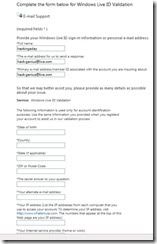
Okay now assuming you have all the information you need, head on over to this link:
Code:
https://support.live.com/eform.aspx?productKey=wlidvalidation&ct=eformcs

Obviously a proxy or a VPN is a good idea when doing this but I’ve never had any issues when going without one.
Once you’re their fill out all the appropriate information, specifically set ‘The e-mail address for us to send a response’ to an email address you already have access to and do the same with ‘Your alternate e-mail address’.
The other important thing you need to do when filling out the information is setting ‘The secret answer to your question’ to “I don’t remember” and it will be counted as a valid answer. Nice security they got going on, I know.
When entering the last successful sign-in, if they are currently signed in or have signed in today you can just type “Today” to eliminate any confusion
It’s best to leave the optional fields empty. We want to give them as little information as possible.
So go ahead and hit the Submit button and if you’ve done everything properly then you should come to a page with this:
Quote

Thank you for submitting your issue to Support.
Your Support Ticket Number: XXXXXXXXXXX
For reference, please print this page or write down your support ticket number. Use this number when communicating with Support about this issue.
To make sure that you can receive a reply from Microsoft, add the “microsoft.com” domain to your e-mail “safe list”. If you do not receive a response in your “inbox” within 24 hours, check your “bulk mail” or “junk mail” folders.
Now assuming all the information you provided was accurate, in about 24 hours or so you should receive an email from Microsoft Customer Support that looks like this:
Quote

Hello emailid@live.com:
You recently asked to reset your Windows Live ID password by e-mail. Follow the instructions below to reset your password, or to cancel your password reset request.
TO RESET YOUR PASSWORD:
1. Select and copy the following Internet address.
[Link]
2. Open a browser, paste the link in the address bar, then press Enter or Return on your keyboard.
IF YOU DID NOT REQUEST TO RESET YOUR PASSWORD:
1. Select and copy the following Internet address.
[Link]
2. Open a browser, paste the link in the address bar, then press Enter or Return on your keyboard.
Thank you,
Windows Live ID Customer Support
NOTE:
Please do not reply to this message, which was sent from an unmonitored e-mail address. Mail sent to this address cannot be an
So just follow the link to reset the password and BAM you have their account.

Note:this information only for education purpose,i am not responsible  if some account is hacked by some by using this information kindly regards. VIKAS RUHIL